Posts

Showing posts with the label #features

How to Use PRO Mode on your Phone Camera | GUIDE | FULL DETAILS | Ask your Doubts |
Image
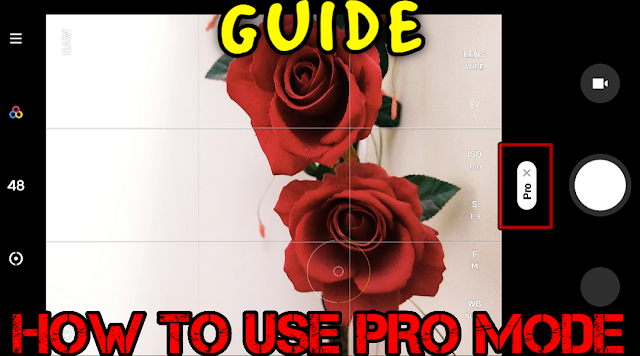
  How to use PRO  Mode on your Phone's Camera? Let's Learn today!! Before i posted some articles in which you give good response and so today i am going to clear all your doubts on how to use PRO mode available in your POCO phone Camera. Myself Omair Irfan. I am a Tech Lover, Gamer & Blogger. The basic premise of a pro or manual mode is that composition is up to you. Rather than the phone's own software determining what the shutter speed, ISO, white balance, and exposure compensation will be, you have the tools to do that yourself. In simple words, The PRO mode in your phone helps you capture the photos by your customization like DSLR by adjusting Shutter time, ISO, WB, Exposure etc. without any AI interference. Now, let's talk about it's features and how & when to use them. F(Focus) : The focal length which is needed to be set accordingly to focus on a object could be nearer or far. Simple: For objects that are very near, use less focus and for far objects,...
POCO M2 Pro November Patch Update | Bugs & Performance Fixes ! | Features Explained!

Image
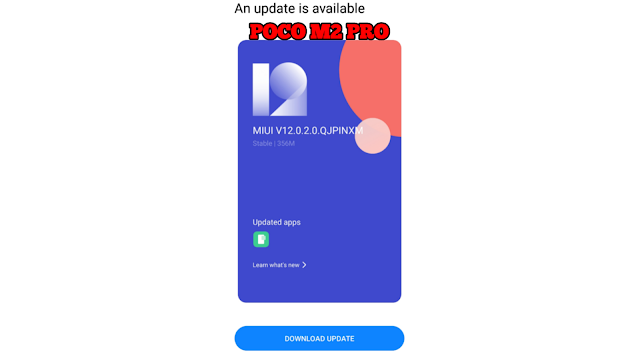
What's New in November Patch update of POCO M2 PRO? Let's know in this article today!! Xiaomi is rolling out November patch update 3-4 days for Poco M2 Pro and i too have received it yesterday. The update version will be MIUI 12.0.2 and will fix some bugs also. Update size will be nearly 356MB. In this update, there are new two features, bugs fixed and some performance tweaks have been provided. Here is the report: There are two features and five improvements. 1) When you capture some picture and open any of the last captured picture directly from Camera app (by clicking on photo shown near shutter button), you see there is a geallery icon. When you click on it, will show you a list of recently captured photos to see them fastly using gallery. So that you can see all of your captured photos fastly in a list view instead of swiping from first to last to see all of them. Below is the picture of that icon: 2) Secondly, they added two pictures in Dark mode to help you distinguish b...