Posts

Showing posts with the label #m2pro

How to track your Mobile or Wi-Fi Data Usage | Step by Step Guide with Video |

Image
  How to track Data Usage in MIUI 12? Let's learn in this today's Article. Many users were complaing that the data usage track option has gone after the last MIUI 12 update but it's still there and very easy to use. Just follow these steps: 1) Open Security app (pre-installed on your POCO device). 2) Swipe down and click on data usage. 3) Click on data usage stats. 4) Now if you want to track Mobile data usage, they are opened. You can check daily, weekly and monthly data usage by clicking on Today data usage at top and switching to weekly or monthly. 5) If you want to see Wi-Fi data usage, click on sync arrow icon at top right and select Wi-Fi usage and you're ready to go!! 6) Now same as step 4, you can track daily, weekly and monthly data usage of Wi-Fi here. Still unclear??? Watch my step-by-step video of how to track data usage here: If you have any other question, #ask me in comment section. Original article:  https://bit.ly/38T6kTC Thanks & Regards, Omair Irf...
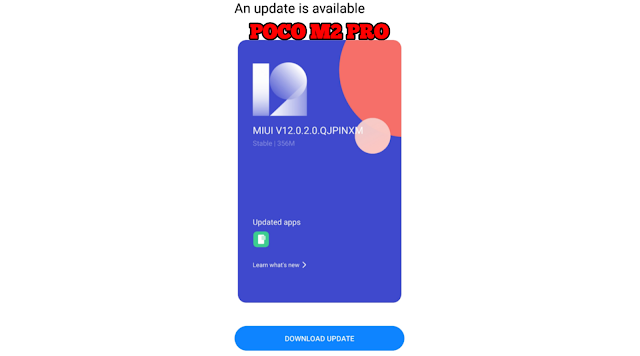
POCO M2 Pro November Patch Update | Bugs & Performance Fixes ! | Features Explained!

Image
What's New in November Patch update of POCO M2 PRO? Let's know in this article today!! Xiaomi is rolling out November patch update 3-4 days for Poco M2 Pro and i too have received it yesterday. The update version will be MIUI 12.0.2 and will fix some bugs also. Update size will be nearly 356MB. In this update, there are new two features, bugs fixed and some performance tweaks have been provided. Here is the report: There are two features and five improvements. 1) When you capture some picture and open any of the last captured picture directly from Camera app (by clicking on photo shown near shutter button), you see there is a geallery icon. When you click on it, will show you a list of recently captured photos to see them fastly using gallery. So that you can see all of your captured photos fastly in a list view instead of swiping from first to last to see all of them. Below is the picture of that icon: 2) Secondly, they added two pictures in Dark mode to help you distinguish b...